
Exponam Connect
Part of Exponam Analyst Intelligence
The governed path from your enterprise cloud platform into Excel.
Ask in English, write SQL, or point and click. Import up to ten million rows. Refresh on schedule. No exports, no ODBC, no tickets.
Three ways to ask. One governed answer.
Browse the tables and columns you are entitled to see, define the data you want in whichever way matches how you work, and import it into a worksheet that refreshes when the source changes.
Natural language
Ask in plain English. See the SQL before it runs. Get governed, reproducible results.
Direct SQL
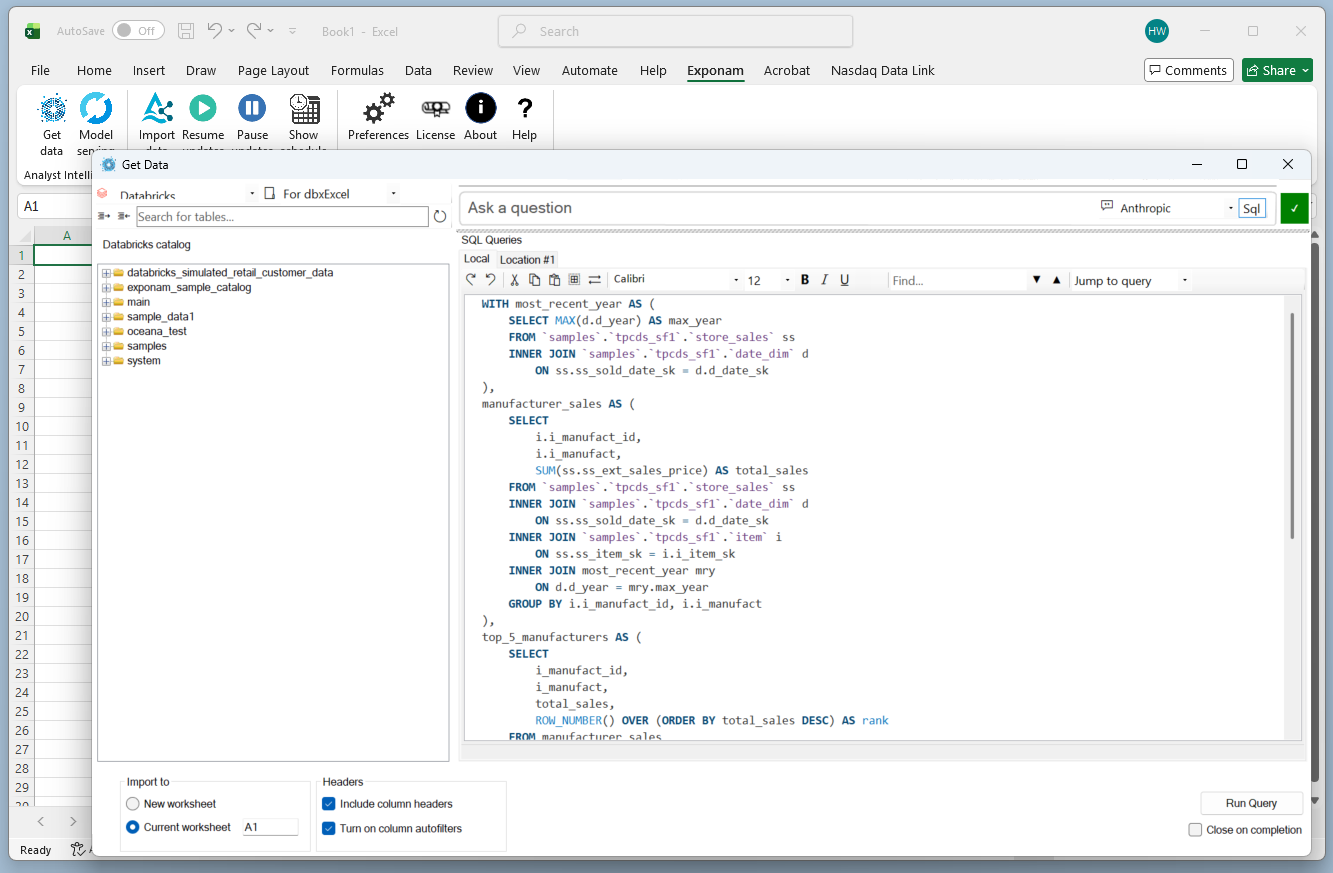
Any SQL the platform supports, from a scratchpad inside Excel, with shared workspaces an administrator curates.
Visual data builder
Point, click, filter, import. Over Delta Sharing, with no SQL engine and no platform compute. Databricks today.

All three paths land governed, auditable data in Excel. The choice is about how you prefer to work; the security posture is identical.
Data lands in Excel. It stays current.
Up to ten million rows per extract, with no limit on extracts per user. Filter by date, column, or value before import so you pull only what you need, and save the configuration as a reusable view.
Worksheets refresh on demand or on a schedule you set. PivotTables build directly from the imported data. VLOOKUP, charts, formulas – everything works as it always has, on governed, current data.
Each import can carry a properties sheet recording the server, the query or filter, the extraction time, and the license, so a workbook states where its numbers came from.
Import speeds of eleven seconds per million rows are benchmarked on direct-download paths. SQL-routed performance varies with platform, query, and warehouse.
Governed by your platform. Private by architecture.
Governance
Authentication, access control, and data governance are enforced by your platform – role-based access, SSO, Unity Catalog, Snowflake Horizon. There is no parallel permission system. If a user can see the data in the platform, they can see it in Excel. If they cannot, they cannot.
Privacy
Exponam Connect is installed software, not SaaS. The connection runs directly between your cloud platform and your analyst’s workbook. No data is routed through, stored by, or accessible to Exponam or any third party. There is no intermediary.
AI that stays inside your perimeter.
Natural-language query needs a model to translate a question into SQL. Most products send your schema – or your data – to a commercial API. Connect gives you the choice.
A local model
Runs entirely within your environment. No question, schema, or token leaves your network.
Your organization’s commercial model
Under your own API agreement. Connect sends the question and schema metadata – table names, column names, types. Never a row of data.
No shadow AI. No data leakage. No compliance exceptions required.
Databricks Validated Technology Partner
Databricks machine learning, in a spreadsheet.
For organizations running ML models on Databricks, Connect brings model execution into Excel. A guided formula builder walks the user through the inputs any ML Serving Endpoint requires – no coding, no Databricks knowledge – and returns an Excel formula that executes the model and returns predictions inline. Risk scoring, forecasting, classification, from the cell.


Built for enterprise scale.
Platforms
Databricks and Snowflake through one consistent interface. Azure Fabric coming. Native connectors for additional sources in development.
Runs in
Excel for Windows, native VSTO architecture. Mac and web Excel for the Delta Sharing path. Okta and Microsoft Entra ID authentication. Centralized configuration. Silent MSI installation.
Scale and security
Deployments of 100,000+ seats. NIST SP 800-218 attestation. Architecture, data flow, and compliance posture documented in the Security Center.
Only a platform-neutral approach can meet the enterprise’s needs: perspective from our CTO.
Free to start. Licensed to scale.
Install Connect and import and query up to one million rows per query without a license, a trial period, or a card. Enterprise licensing extends the ceiling to ten million rows and adds natural-language and AI query, ML model execution, private LLM deployment, custom MSI installers, and dedicated support. Pricing.
Looking for what happens to the workbook after the import? Exponam Explain.